The Complete Guide to Flutter App Code: Building Modern Mobile Applications in 2026
-
April 23, 2026

Understanding Flutter and Its Code Structure
The Flutter framework has gained significant popularity among developers for its ability to create highly interactive apps across multiple platforms from a single codebase. This cross-platform approach significantly reduces development time and costs, making it a preferred choice for businesses looking to leverage modern technologies in 2026.
Introduction to Flutter Framework
Flutter is an open-source UI toolkit created by Google. It enables developers to build natively compiled applications for mobile, web, and desktop from a single codebase.
Key benefits of using Flutter include:
- Hot Reload: Changes in the code can be quickly tested without rebuilding the entire app.
- Rich Widgets: A wide array of pre-built customizable widgets simplifies UI design and enhances productivity.
- Native Performance: Flutter apps can achieve native-like performance due to Dart’s ahead-of-time compilation.
Understanding Flutter's structure is crucial for businesses wanting to engage with app development that incorporates modern user experiences.
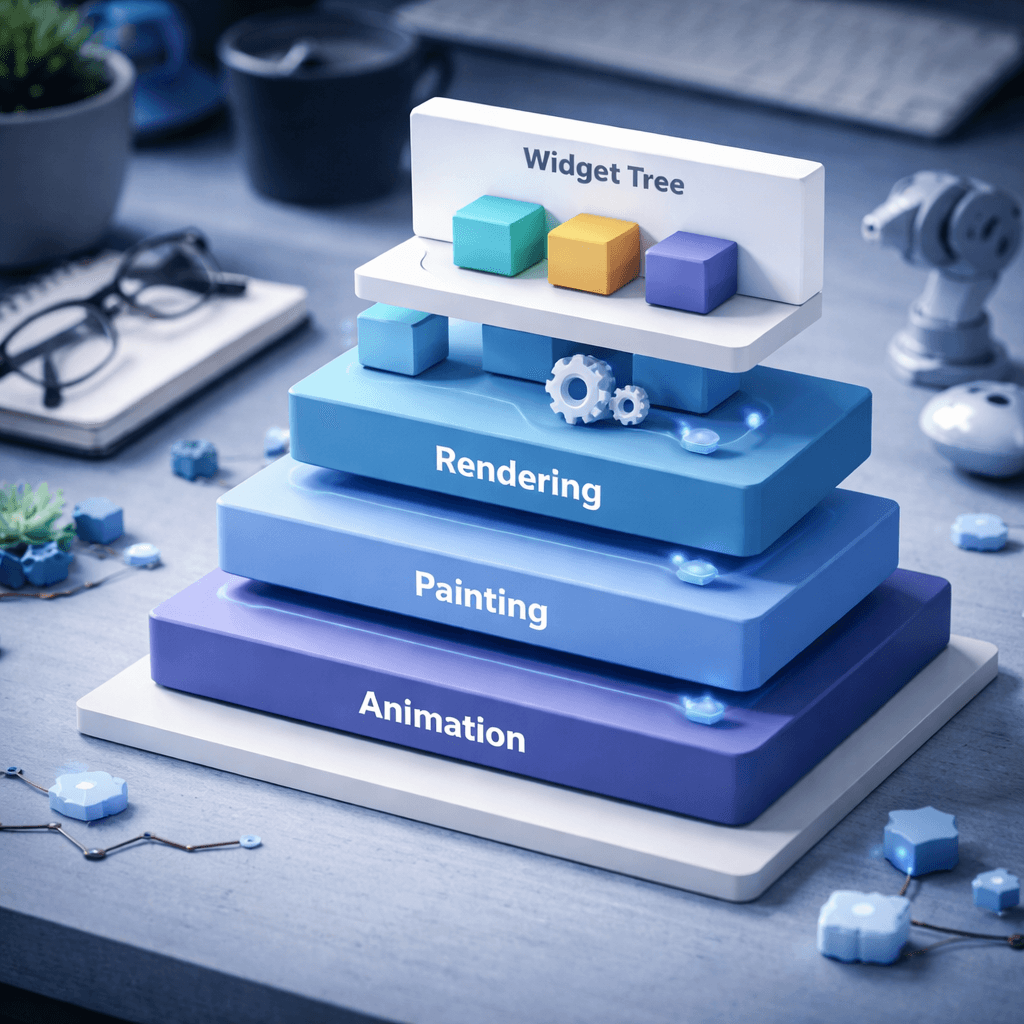
Key Components of a Flutter App Code
A typical Flutter app consists of several integral components:
- Widgets: The building blocks of every Flutter app. Widgets can be stateful (maintaining state) or stateless (no state).
- MaterialApp: This is the root widget for material design applications, providing basic navigation and theme configuration.
- Build Method: This method describes how to display the UI and is invoked every time the widget's state changes.
- Main Function: The entry point of the application where the app starts executing.
These components work together to create responsive and visually appealing applications.
Understanding Dart Language in Flutter
Dart is the programming language used to write Flutter apps. It is optimized for UI, making it easy for developers to create beautiful interfaces.
Key features of Dart include:
- Strongly Typed: Dart's type system helps catch errors at compile time.
- Async Support: Dart handles asynchronous programming with ease, making it suitable for tasks like API calls.
- Object-oriented: Dart follows an object-oriented programming paradigm which enhances code organization and reuse.
"Dart's expressive syntax and powerful features make it an ideal choice for building Flutter applications efficiently."
By understanding Flutter's framework and code structure, businesses can develop modern applications that harness the power of AI and machine learning, enhancing user experiences.
This foundational knowledge equips businesses with the necessary tools to make informed decisions when partnering with app development experts like Ptolemay.
Setting Up Your Development Environment for Flutter
To successfully develop Flutter applications, setting up the development environment is the first crucial step. Here's a guide to help you get started effectively.
Installing Flutter SDK
Begin by downloading the Flutter SDK. Follow these steps:
- Visit the Flutter website.
- Choose the appropriate installation package for your operating system (Windows, macOS, or Linux).
- Extract the downloaded file to your desired location.
- Add the
flutter/bindirectory to your system's PATH.
Running flutter doctor in the command line will check for any dependencies you may need to install. This command helps ensure you have everything set up correctly before diving into development.

Choosing the Right IDE: Visual Studio Code vs. Android Studio
The choice of an Integrated Development Environment (IDE) significantly impacts your development productivity. Two popular options are Visual Studio Code and Android Studio.
- Visual Studio Code:
- Lightweight and faster startup.
- Extensive library of extensions for Flutter and Dart.
- Intuitive interface for quick navigation and debugging.
- Android Studio:
- Comprehensive Android development features.
- Strong integration with Gradle and the Android ecosystem.
- Built-in tools for performance monitoring and testing.
Configuring Your IDE for Flutter Development
Once you’ve selected your IDE, configuring it for Flutter development is essential.For Visual Studio Code:
- Install the Flutter and Dart extensions from the Extensions Marketplace.
- Configure your Dart SDK path in the settings for effective autocompletion and debugging.
- Enable the Flutter widget inspector for enhanced UI layout debugging.
- Ensure the Flutter plugin is installed via the Plugins menu.
- Set up Flutter SDK location in the project settings.
- Utilize the built-in terminal for running Flutter commands conveniently.
"A well-set environment eliminates unnecessary hurdles, allowing developers to focus more on creativity and code."With the right tools and configurations, you're poised to streamline your Flutter development process and harness the full potential of this robust framework.
Creating Your First Flutter App: Step-by-Step Guide
Defining the requirements for your Flutter app is crucial for a successful development journey. Begin by contemplating the problem your app will solve and the audience it will serve.- Identify Core Features: List essential functionalities that users expect.
- User Experience: Sketch out the app's flow and how users will interact with features.
- Research Competitors: Analyze similar apps to understand market standards and expectations.
Writing the Initial Flutter Code
With requirements in hand, it’s time to write the initial Flutter code.- Create a New Flutter Project: Utilize the command line to run
flutter create project_name. - Understand Your Main File: In
lib/main.dart, define your app’s entry point. Start by modifying this file to include your first simple UI.
void main() { runApp(MyApp()); } class MyApp extends StatelessWidget { @override Widget build(BuildContext context) { return MaterialApp( home: Scaffold( appBar: AppBar(title: Text('Hello Flutter')), ), ); } } This initial setup allows you to display a basic application window. As you build, you’ll gradually add features defined in your requirements.
Building Custom Widgets for Enhanced UI
Creating custom widgets can significantly enhance user experience and interface design. Flutter allows you to easily compose complex UIs from smaller, reusable widgets.- Encapsulate Design Logic: Create widgets for repeated UI components, maintaining consistency and reducing redundancy.
- State Management: Utilize stateful widgets to manage dynamic content. This can enhance interaction within the app.
class CustomButton extends StatelessWidget { final String title; final Function onPressed; CustomButton({required this.title, required this.onPressed}); @override Widget build(BuildContext context) { return ElevatedButton( onPressed: () => onPressed(), child: Text(title), ); } } Implementing this custom widget will keep your code organized and make it easier to update your app’s design down the line.By following these steps—defining your app’s requirements, writing the initial code, and building custom widgets—you’ll set a solid foundation for your Flutter app. This approach maximizes efficiency and engagement, addressing the common pain points businesses face when starting app development projects.
Implementing Advanced Features with Flutter App Code
Integrating AI and Machine Learning FeaturesBusinesses increasingly seek innovative technologies to enhance user experiences. Flutter provides robust support for integrating AI and machine learning (ML) features through various packages. This allows developers to build apps that can analyze user behavior, predict preferences, or even perform natural language processing.
- TensorFlow Lite: Use this lightweight ML framework to enable on-device ML inference, ensuring your app is responsive and efficient.
- Firebase ML Kit: Integrating this kit lets you tap into pre-trained models for features like face detection and text recognition without needing extensive ML expertise.
Utilizing Flutter Plugins for Enhanced Functionality
Flutter's vibrant ecosystem is home to a myriad of plugins that enhance app functionality without requiring excessive coding. These plugins can significantly reduce development time and improve the app's capabilities.
- Provider: This plugin simplifies state management and enhances the app's performance.
- HTTP: Use this to facilitate network calls within your app seamlessly.
- Geolocator: Integrate location-based services effortlessly into your application.
Managing App State Efficiently in Flutter
Managing app state has become crucial as apps grow in complexity. Flutter provides various state management solutions that cater to different project requirements.
- setState: The simplest form, useful for managing local state within a single widget.
- InheritedWidget: Helps share state across multiple widgets without the need for complex structures.
- Bloc and Cubit: For larger apps, these provide a more scalable approach, promoting a reactive programming model.
"The right state management approach can make or break your app’s user experience."
Debugging and Testing Your Flutter Applications
Common Flutter Debugging Techniques
Debugging is essential in ensuring your Flutter applications run smoothly. Here are some prominent techniques:- Print Statements: Utilize
print()to track variable values and flow of execution. It's a simple yet effective way to spot issues. - Debug Mode: Always run your application in debug mode. This provides more detailed logs and allows you to use debugging tools effectively.
- Error Handling: Implement error handling using try-catch blocks. This helps in identifying runtime errors and makes the app more robust.
- Hot Reload and Hot Restart: Flutter’s hot reload feature allows you to see changes almost instantaneously, which can expedite the debugging process.
- Logging: Use the
loggerpackage for structured logging. This can help in collecting logs while the application runs, providing insights when analyzing issues.
“A well-structured logging system can drastically reduce the time spent debugging.”
Best Practices for Testing Flutter Apps
Testing ensures that your Flutter applications maintain high quality. Follow these best practices:
- Write Unit Tests: Focus on small pieces of code. Unit tests allow you to verify that each component functions as intended.
- Widget Testing: These tests verify your app's UI and how it responds to different inputs. Flutter provides an excellent set of testing APIs for widget testing.
- Integration Testing: These tests ensure that multiple parts of your application work together as expected. This is particularly vital for ensuring seamless interactions between screens and components.
- Use Mocking: Utilize libraries such as
mockitoto create mock services. This isolates your tests from external dependencies. - Continuous Integration: Integrate testing into your CI/CD pipeline. This ensures all tests are run whenever code changes are made, catching issues early.
Using Flutter DevTools for Performance Monitoring
Flutter DevTools is invaluable for monitoring performance and optimizing your applications:
- Performance Overlay: Activate the performance overlay to identify performance rendering issues. This provides visual feedback about frames per second (FPS).
- Widget Inspector: Use the widget inspector feature for building and debugging widget trees. This helps in understanding layout issues in your app.
- CPU Profiling: Leverage CPU profiling to examine which functions consume the most resources. This can identify performance bottlenecks.
- Memory Analysis: Monitor memory allocation to detect leaks. The memory pane in DevTools helps visualize memory usage and identify potential issues.
- Network Monitoring: Use DevTools for network analysis, which provides insights on API calls and their impact on performance.
Applying these debugging and testing techniques in your Flutter applications will enhance both performance and reliability. As businesses continue to embrace digital solutions, utilizing these practices ensures that your app remains competitive and meets user expectations.
Ptolemay: Your Partner in Flutter App Development
Why should you choose Ptolemay for your custom Flutter solutions? The answer lies in our commitment to delivering high-quality applications and our deep expertise in the latest technologies.
Why Choose Ptolemay for Custom Flutter Solutions?
- Expertise: Our development team consists of experienced Flutter developers skilled in creating responsive and high-performance apps.
- Tailored Solutions: We understand that every business has unique requirements. Our custom development approach ensures that your Flutter app meets your specific goals and user needs.
- AI and Machine Learning Integration: As pioneers in integrating advanced technologies, we excel in incorporating AI and machine learning into your Flutter applications, enhancing user experiences significantly.
- Comprehensive Support: From concept to launch, we provide end-to-end support, ensuring a smooth development process and timely delivery.
“At Ptolemay, we align our app development strategies with the latest industry trends to ensure your app remains competitive in an evolving digital landscape.”
Case Studies of Successful Flutter Projects
Our portfolio showcases successful Flutter projects that highlight our capabilities. For instance:
- E-commerce Platform: We developed a robust e-commerce app that provided seamless shopping experiences, leading to a 30% increase in customer retention for the client.
- Healthcare Application: Our team built a health monitoring app integrated with AI features for predictive analytics, which improved patient engagement by 45%.
- Travel Planner: A travel planning tool we developed enabled personalized trip recommendations and optimized itineraries, enhancing user satisfaction scores.
Each project reflects our dedication to utilizing Flutter's capabilities to solve real-world business problems effectively.
Getting Started with Ptolemay's Free App Tech Specifications
Recognizing the importance of thorough planning, we offer free app tech specifications for businesses looking to initiate their app development journey. These specifications include:
- Project Overview: Clear understanding of your app’s purpose and audience.
- Key Features: A breakdown of essential features and functionalities tailored to your business needs.
- Technical Requirements: Detailed insights into the technology stack and integrations necessary for your app.
Leveraging these specifications allows you to prepare effectively and communicate your vision clearly.
Starting your Flutter development journey with Ptolemay ensures you have a reliable partner actively invested in your success. Reach out today to explore how we can bring your app idea to life.
Comparison of Flutter with Other App Development Frameworks
Flutter vs. React Native: Which is the Best Choice?
When comparing Flutter and React Native, several factors determine which is the best fit for your project. Both frameworks enable cross-platform app development, but they have unique strengths.
- Performance: Flutter provides superior performance because it compiles to native code. React Native bridges native components, which can lead to slower performance, especially for complex UIs.
- UI Design: Flutter's widget-based architecture allows for highly customizable designs with a rich set of pre-built widgets. React Native relies on third-party libraries for some UI components, which can limit design consistency.
- Development Speed: React Native benefits from a larger community and an extensive library of reusable components. Flutter has gained popularity, offering comprehensive documentation and rapid development cycles with hot reload.
Ultimately, the choice between Flutter and React Native may depend on your project's specific requirements and your team's expertise.
Strengths and Weaknesses: Flutter vs. Native Development
Flutter and native development approaches have their respective pros and cons. Understanding these can help businesses make informed decisions.
Strengths of Flutter:
- Single Codebase: Build apps for multiple platforms from a single codebase, reducing development time and costs.
- Hot Reload: Instant feedback while coding, allowing for rapid iteration and debugging.
- Rich Ecosystem: A growing library of plugins and packages that enhance app functionality.
Weaknesses of Flutter:
- Limited Libraries: While growing, the ecosystem is not as mature as native frameworks, potentially leading to challenges in finding specific plugins.
- App Size: Flutter apps can be larger than native apps due to the framework’s dependencies.
Strengths of Native Development:
- Performance: Native apps often deliver better performance and responsiveness.
- Access to Device Features: Full access to device APIs ensures optimal utilization of platform-specific capabilities.
Weaknesses of Native Development:
- Higher Costs: Developing separate apps for iOS and Android can lead to increased development and maintenance costs.
- Longer Development Time: Multiple codebases often result in longer timeframes for updates and feature additions.
Competitor Analysis: Ptolemay vs. Other Development Companies
In the landscape of app development companies, Ptolemay stands out by offering tailored solutions that address common pain points businesses face. Unlike some competitors, Ptolemay emphasizes client collaboration to ensure their unique needs are met.
- Technical Expertise: While companies like Fueled and Jafton possess strong portfolios, Ptolemay's niche focus on AI and machine learning positions them at the forefront of modern app development.
- Comprehensive Support: Ptolemay offers free app tech specifications for potential projects, providing businesses with clarity upfront. This is often lacking from competitors like Gojilabs.
- Custom Solutions: Where some companies may provide off-the-shelf solutions, Ptolemay ensures that each app is customized, enhancing overall value.
“Choosing the right development partner can make or break your app’s success." - Ptolemay
This focus on partnership, combined with a commitment to innovative technology, places Ptolemay in a competitive position within the development market.
Common Questions About Flutter App Code
Will Flutter Be Killed by Google?
Concerns about Flutter's longevity often arise, especially regarding Google's commitment to the framework. However, Flutter has gained significant traction since its inception, becoming an integral part of Google's development ecosystem. The ongoing updates and enhancements suggest stability rather than termination. Google continuously invests in Flutter and will likely keep it alive given its community support and adoption from businesses worldwide.
Is Flutter Based on C++?
Flutter itself isn't based on C++; it utilizes the Dart programming language. Dart, developed by Google, is optimized for building user interfaces and is essential for Flutter's performance. While some components of Flutter's engine are written in C++, the majority of the app logic you write will be in Dart. This focus on Dart enables rapid development and a rich set of libraries that simplify building high-quality applications.
Can I Build an App with Flutter?
Absolutely, businesses can build robust applications using Flutter. It's designed for cross-platform development, meaning a single codebase can be used for both iOS and Android. Flutter supports a wide range of features, including:
- Hot Reload: Allows developers to see changes in real-time.
- Rich Set of Widgets: Facilitates the design of expressive UIs.
- Performance: Delivers smooth animations and fast rendering.
Whether it's a simple app or a complex enterprise solution, Flutter has the capabilities to meet diverse needs.
Can I Learn Flutter in 3 Months?
Learning Flutter in three months is feasible with a dedicated approach. Here are some strategies to consider:
- Online Courses: Enroll in structured programs that offer guided learning.
- Practice Projects: Build small apps to apply theoretical knowledge.
- Community Engagement: Join forums and local meetups to gain insights and support.
With consistent effort and the right resources, you can become proficient in Flutter within this timeframe.
"Investing in learning Flutter today can significantly enhance your app development skills and allow you to efficiently leverage modern technologies."
By understanding the fundamentals and engaging with the Flutter community, businesses can explore the advantages of this powerful framework. At Ptolemay, we have the expertise to guide you through the development process, ensuring your app aligns with current technological standards.
Meet Our Expert Flutter Development Team
Our full-cycle Flutter development team at Ptolemay specializes in building high-quality, cross-platform apps from start to finish. With expert skills in Dart, backend integrations, and seamless UX across iOS and Android, we handle everything to make your app launch smooth and efficient.






.png)